Color Impact

- Service
- Product strategy and development
Turning a stationery template into a personalised design, then into an order the workshop can work with.
Choosing an announcement card, editing its text and photos, selecting paper and ordering: behind this journey sits a complete business application. Not a Monkey developed the custom features connecting the Color Impact catalogue, a visual Angular editor and ordering rules. WordPress and WooCommerce provide the editorial and commercial foundation; a dedicated plugin handles templates, compositions, media and stationery-specific calculations.
Context
Color Impact is a design and printing workshop combining graphic design, paper choices and personalisation. Online, a single template can have several sides, colours, text areas, photo spaces and finishes. Customers need to be able to compose their card without mastering page-layout software.
The challenge is maintaining continuity between the personalised result, available options, calculated price and the elements passed on with the order. Graphic designers also need to prepare templates and editable areas, while the journeys remain usable in French, Dutch and English, on desktop and mobile.
Testimonial
« We are very satisfied with our collaboration with Jean-Charles. He understood our business and developed a solution that meets our needs. Our customers can personalise their cards and place orders, while our team can find the designs and information needed for production. Quality support, with a concrete result for our customers and our team. »
Translated from French.
Our work on product strategy and development
Step 1 - Modelling the customisable product
Structuring templates, formats, sides, colour alternatives, papers and editable areas in a dedicated WordPress plugin. Creating administration tools to prepare layouts, their visuals and their availability in the catalogue.
Step 2 - A custom visual editor
Developing an Angular application using Fabric.js to work directly on the layout: entering text, importing and cropping photos, switching between sides, and choosing colours and finishes. Saving and resuming compositions, with interactions adapted to touchscreens.
Step 3 - Pricing and business options
Implementing pricing rules by format, paper and quantity, with a specific price grid for foil-stamped templates. Managing envelopes and addressing, checking available combinations and recalculating on the server when adding to the basket.
Step 4 - Continuity between design and order
Connecting compositions to the WooCommerce journey, preserving choices and personalisation information in the order. Making previews, text and photos available to the team, complemented by invoicing documents and a Falco export integration.
Step 5 - Multilingual support and system evolution
Adapting journeys in French, Dutch and English, from the catalogue through the editor to ordering. Working on mobile display, protection of private designs, template availability and regression testing of journeys and commercial rules.
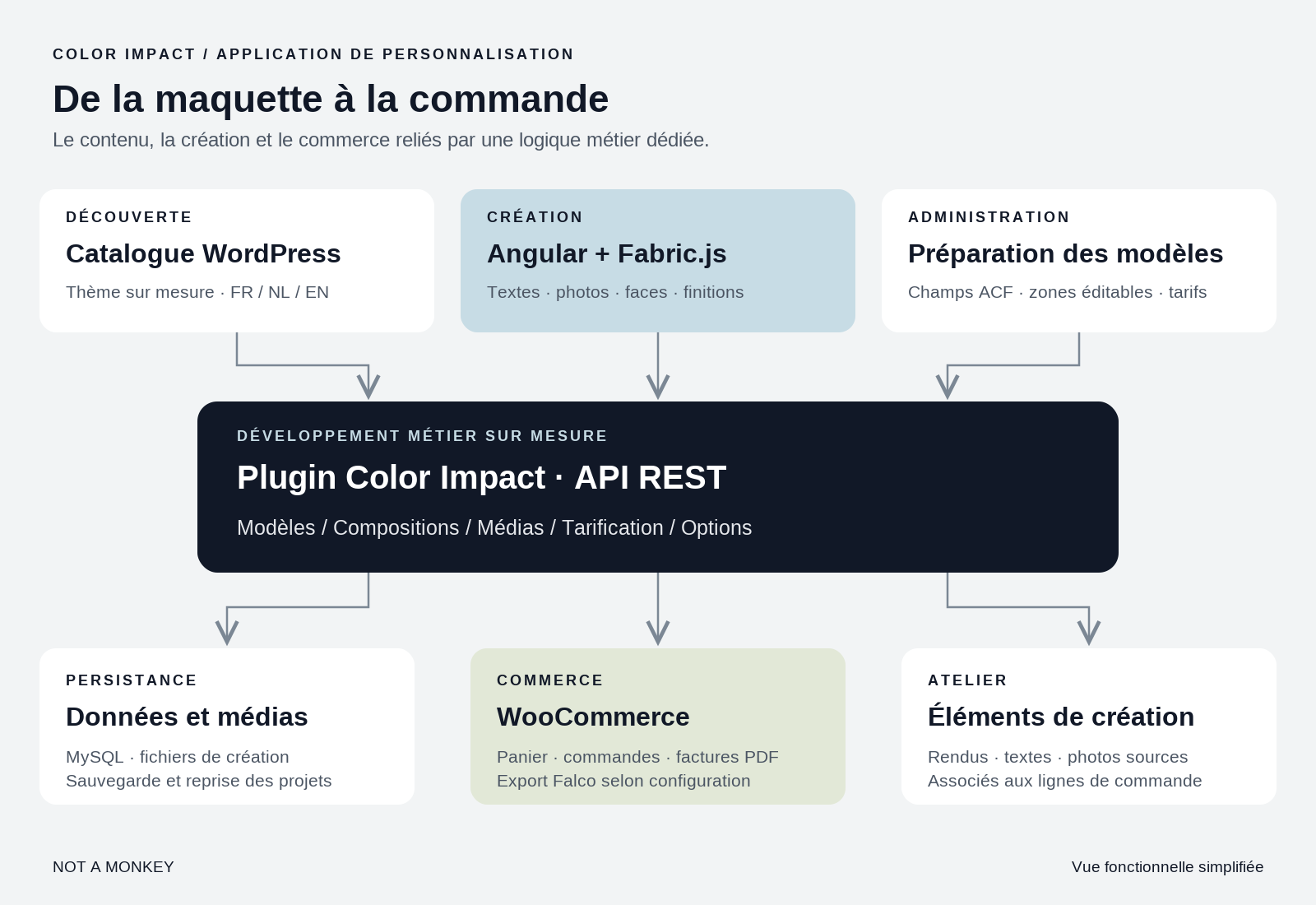
Product architecture and personalisation
A design application connected to commerce and the workshop.
The WordPress theme presents the catalogue and multilingual content. The Angular and Fabric.js editor communicates with the Color Impact plugin API, which manages templates, compositions, media and pricing. WooCommerce handles the basket and orders, enriched with personalisation data. The administration provides the associated previews, text and images; PDF invoicing and Falco export complete the commercial side according to its configuration.
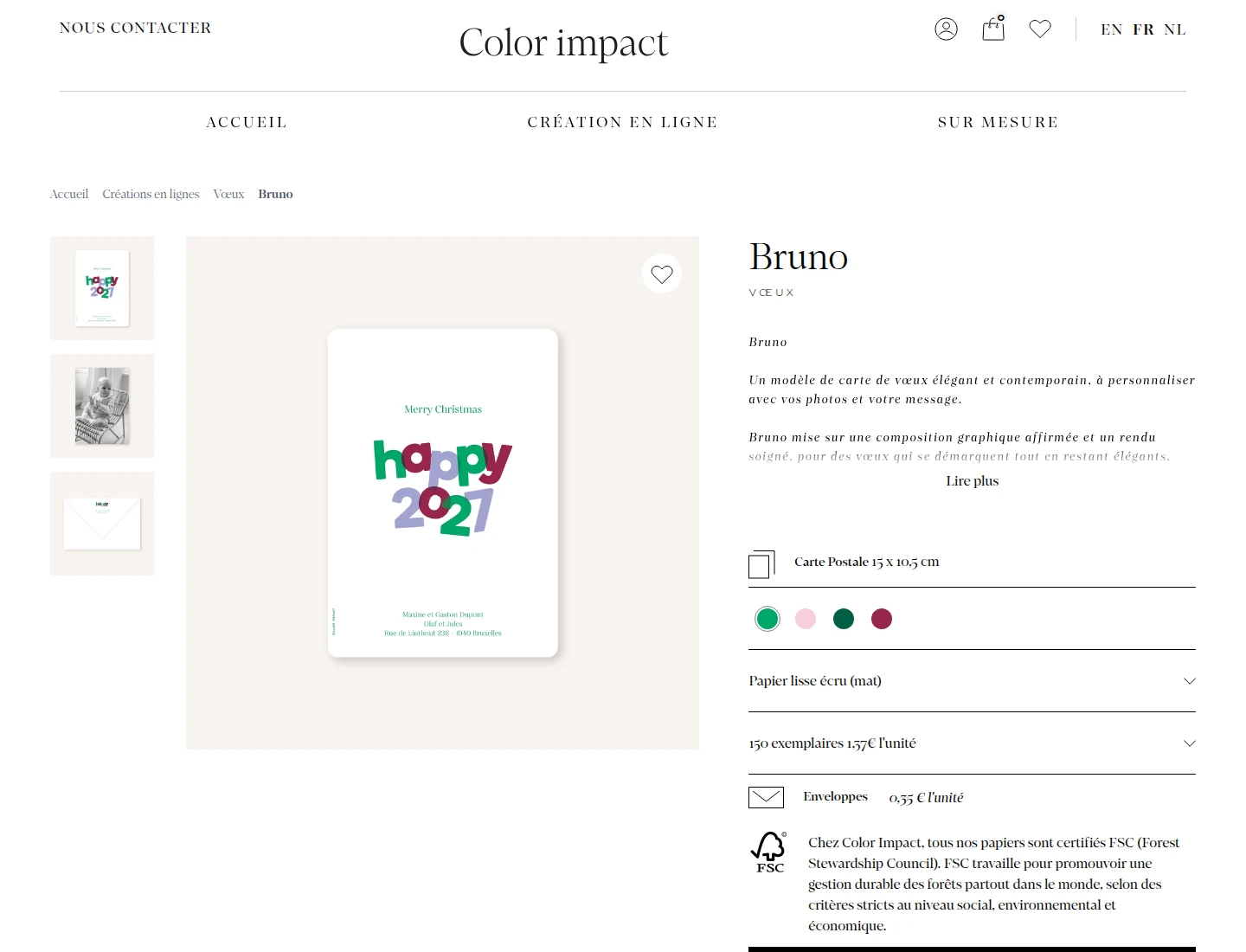
Templates carrying the product rules
Choosing a design, its colour and features before personalising it.
Each product page connects the template’s visuals to its variants, format, papers and quantities. Galleries and options help customers make a consistent choice before entering the editor. Template colours and Gold or Silver finishes remain separate choices when foil stamping is offered.
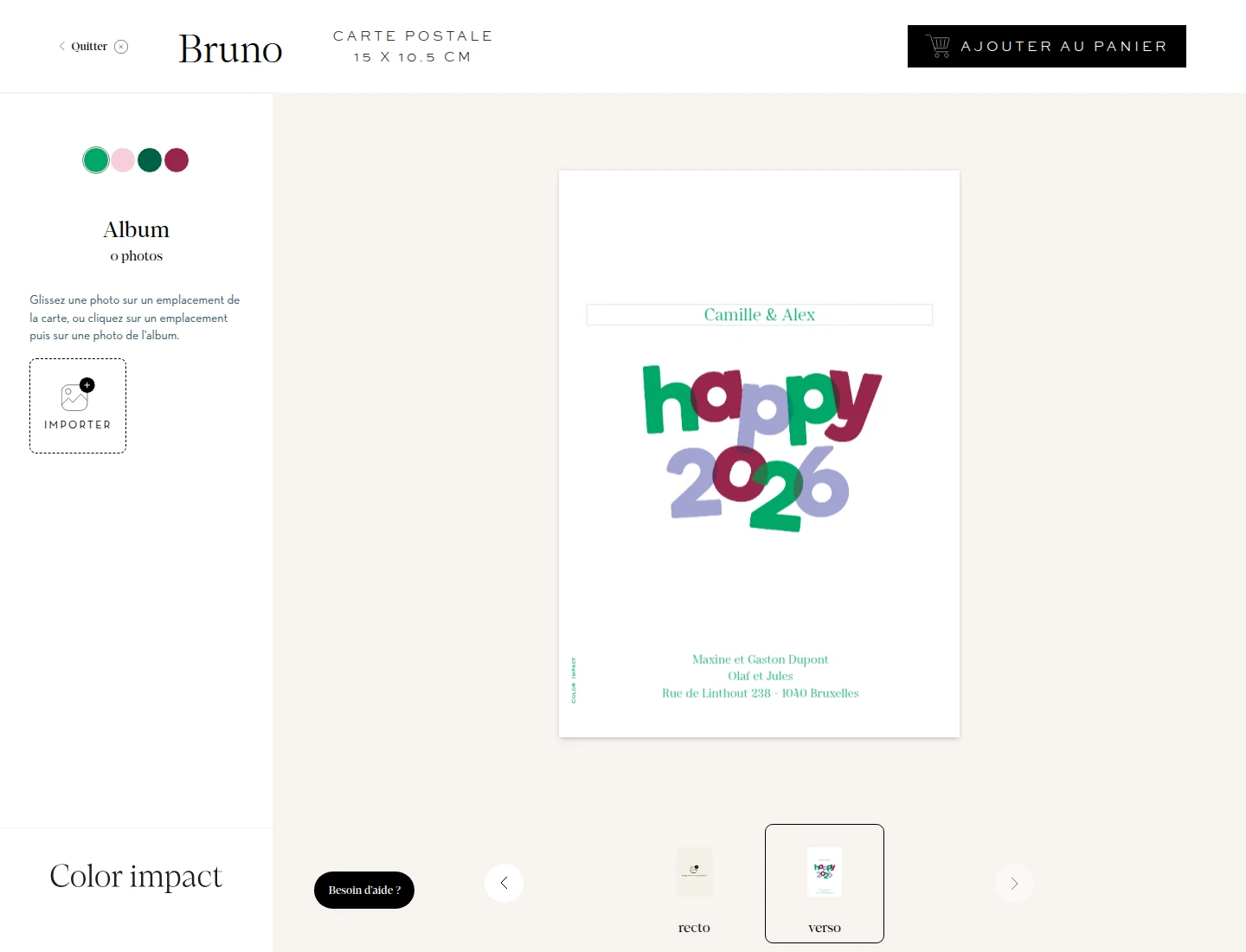
Personalising directly on the layout
A visual design tool accessible from the browser.
Customers select text or a photo area on the card to edit it. The editor handles sides, colours, cropping and resuming designs, with specific mobile controls. Areas prepared by graphic designers provide boundaries for personalisation. Screenshot of the application with a demonstration design.
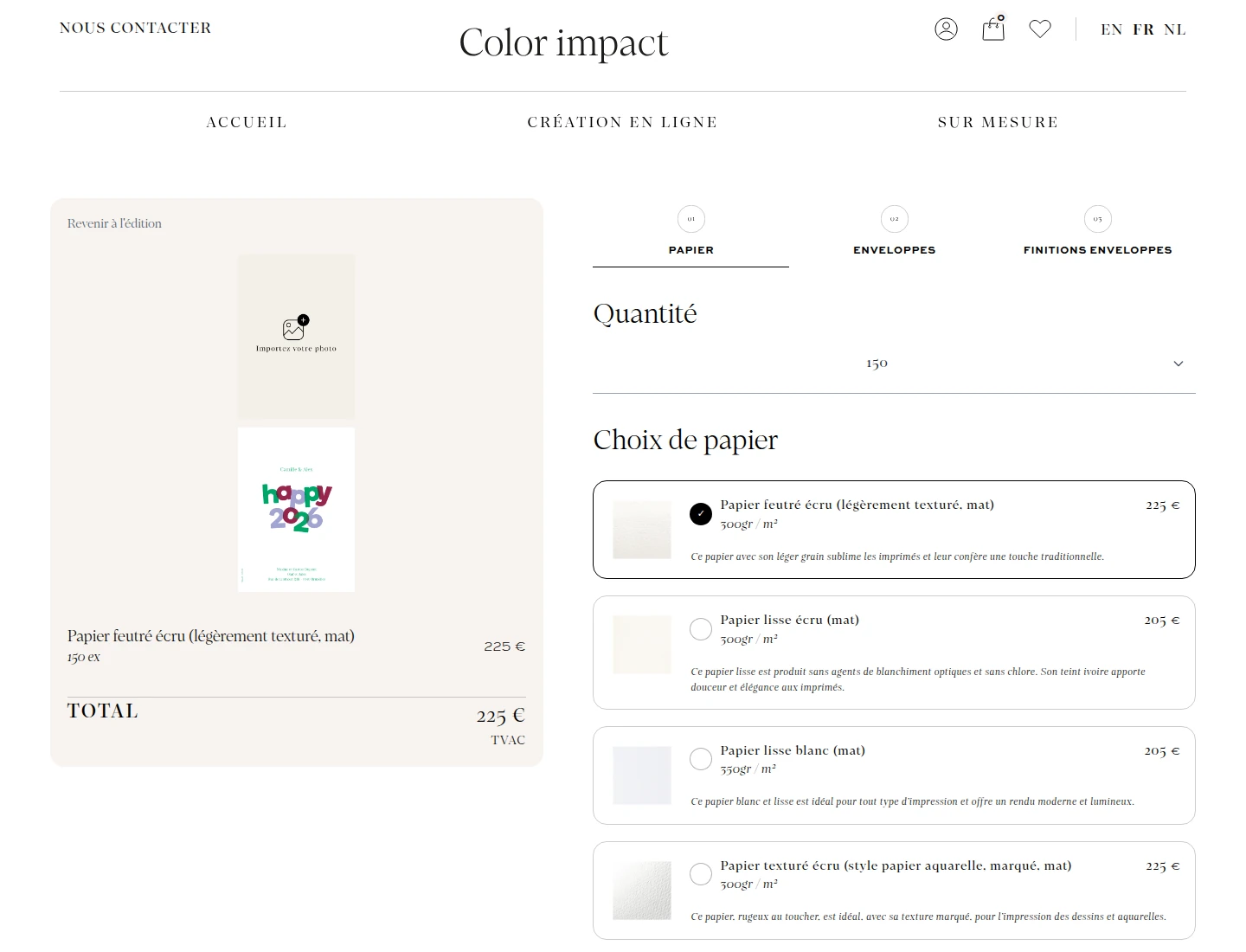
Connecting the design to print choices
Moving from layout to order options and pricing.
After personalisation, the journey guides the choice of quantity, paper, envelopes and addressing. Prices are checked on the server before adding to the basket. The composition remains linked to these choices so the customer and team can find the same project. Screenshot of the paper step with a demonstration design.
Like Color Impact, turn your business rules and expertise into a personalisation experience connected to your orders.
Product strategy and development