Makisu

- Service
- Product strategy and development
Connecting customer orders to the rhythm of the kitchen, from choosing ingredients to the till.
Ordering a custom maki and collecting it on time takes more coordination than a basket alone. Since 2015, Not a Monkey has supported Makisu in designing and developing its ordering and operational tools. The platform connects catalogue, available ingredients, payment, preparation capacity and restaurant tills, with dedicated interfaces for customers and on-site teams.
Context
Makisu is a Belgian restaurant brand specialising in maki and donburi. Its offer combines à la carte recipes, set menus and custom compositions across several restaurants. Each location has its own opening hours, availability and preparation capacity.
The online journey must account for these constraints: an unavailable ingredient affects several recipes, a large order takes more kitchen capacity and a collection slot must fit the work already scheduled. The system also needs to communicate with existing tills and give teams the tools to adjust service during busy periods.
Testimonial
« Our collaboration with Jean-Charles has been fruitful and developed through iterations. Attentive and always ready to challenge our ideas, he developed ordering tools with us that suit the way Makisu works. Maki customisation, available ingredients and collection times are connected to preparation constraints. Paid orders are transmitted to the tills, and restaurant teams have dedicated tools. »
Translated from French.
Our work on product strategy and development
Step 1 - An ordering journey specific to the brand
Building the click & collect journey: restaurant choice, collection slot, catalogue, menus, basket and payment. Developing a maki and donburi configurator that guides choices of style, proteins, vegetables and toppings, including supplements and availability.
Step 2 - Connecting to Domino tills
Integrating the till system API to link catalogue references and transmit paid orders to the relevant restaurant. Accounting for connection states, till errors, the printer and mini-stock to make incidents visible in operational tools.
Step 3 - Planning preparation
Developing a workload engine for each restaurant: order preparation time, opening periods, breaks, group orders and team capacity. Available slots and collection times adapt to the basket and schedule availability. An emergency pause mode lets teams take control during a peak.
Step 4 - Tools for on-site teams
Creating a dashboard to adjust ingredient availability, track kitchen workload and manage on-site waiting. Integrating Rmoni sensors to view temperatures and alert statuses for refrigeration equipment from the restaurant tools.
Step 5 - Extending to on-site ordering
Adapting the journey to in-restaurant kiosks, with eat-in or takeaway choices and Adyen payment terminal integration. The catalogue and business rules remain shared with online ordering. A large-order journey completes the system with preparation scheduled in advance.
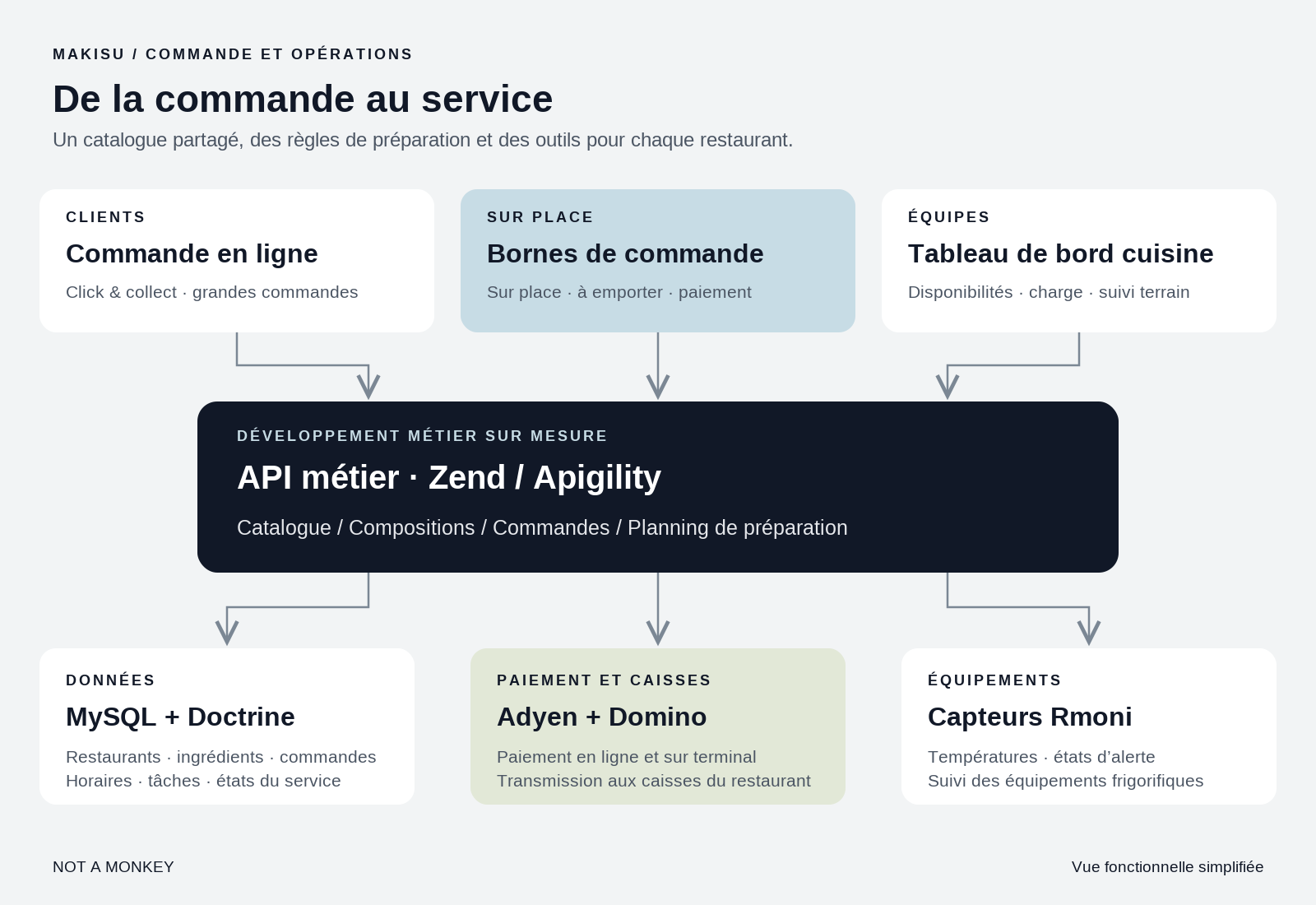
Product architecture and operations
A shared business foundation for customers, kitchens and locations.
The Zend MVC ordering and administration interfaces communicate with a Zend and Apigility business API. It centralises catalogue, compositions, orders and preparation schedules in a MySQL database through Doctrine. The Adyen, Domino and Rmoni integrations connect payments, tills and sensor monitoring respectively to restaurant journeys.
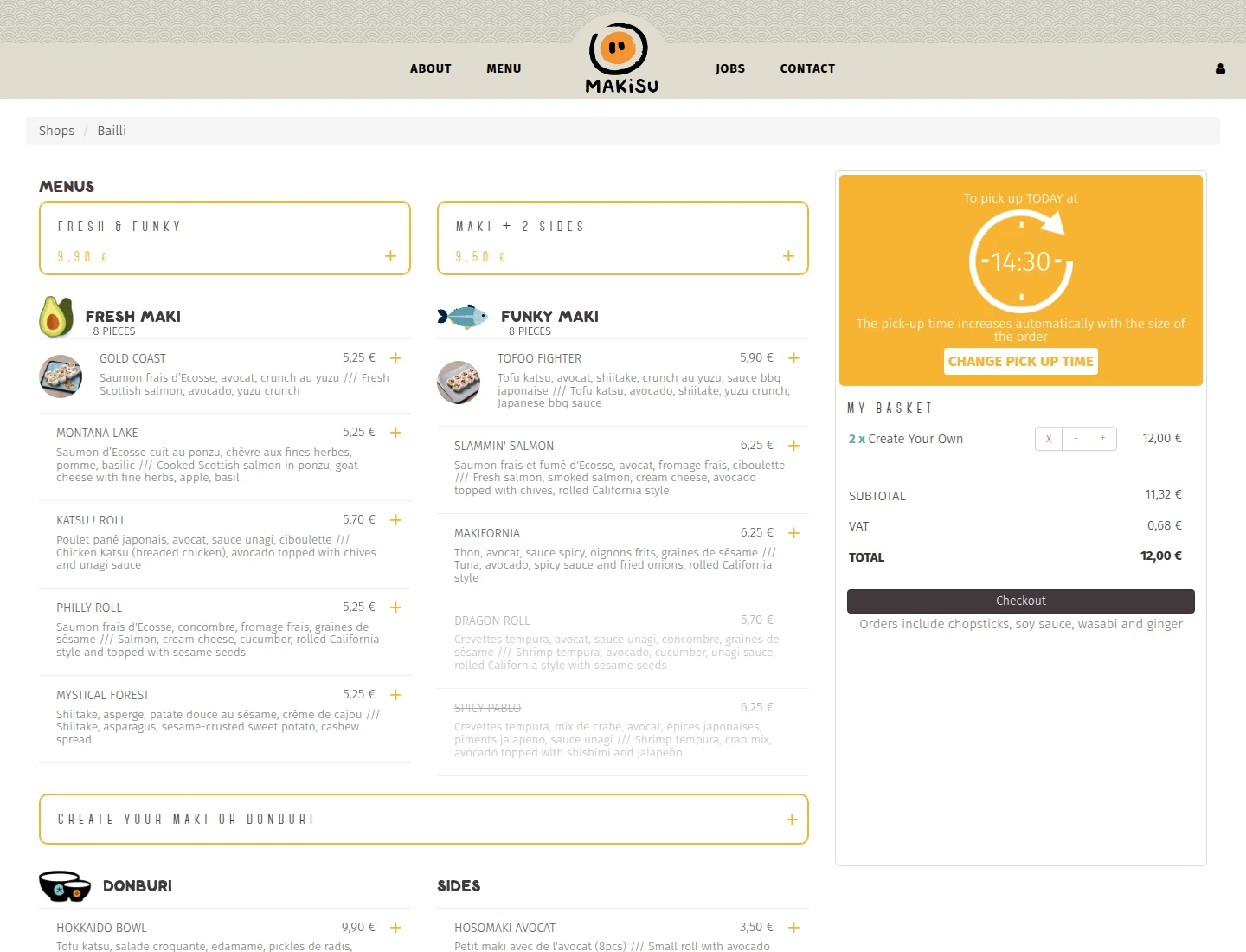
Ordering within the restaurant’s capacity
Catalogue, basket and collection time in one journey.
After choosing the restaurant and slot, customers find recipes, menus and their availability. The basket shows composition and price, while the collection time accounts for preparation time. Screenshot of the local application with a demonstration basket.
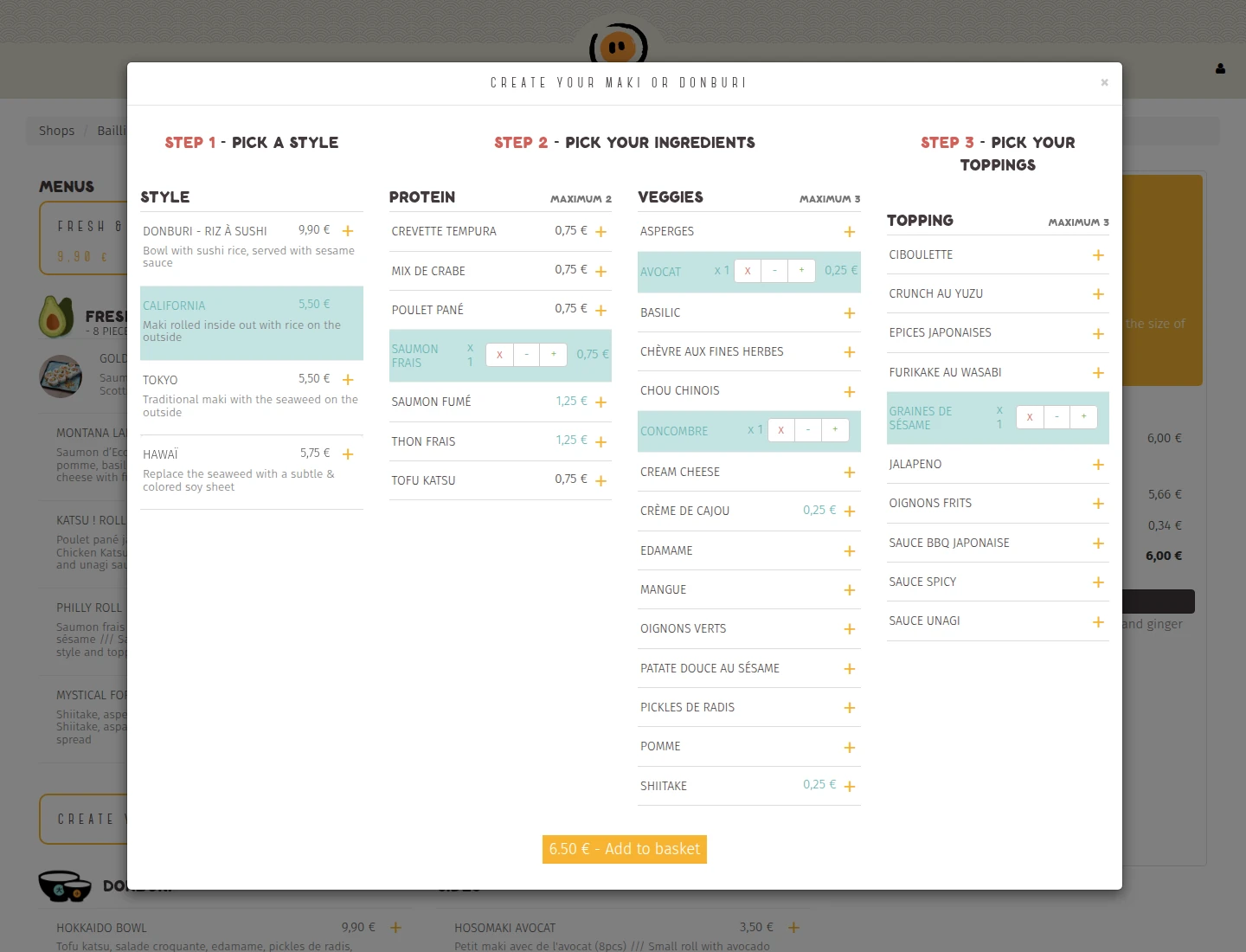
Building a maki with the right rules
A configurator that turns the restaurant’s offer into simple choices.
The journey separates style, proteins, vegetables and toppings. It shows supplements and limits selections according to product rules. The composition is retained in the basket for the rest of the ordering journey. Screenshot of the application with a demonstration selection.
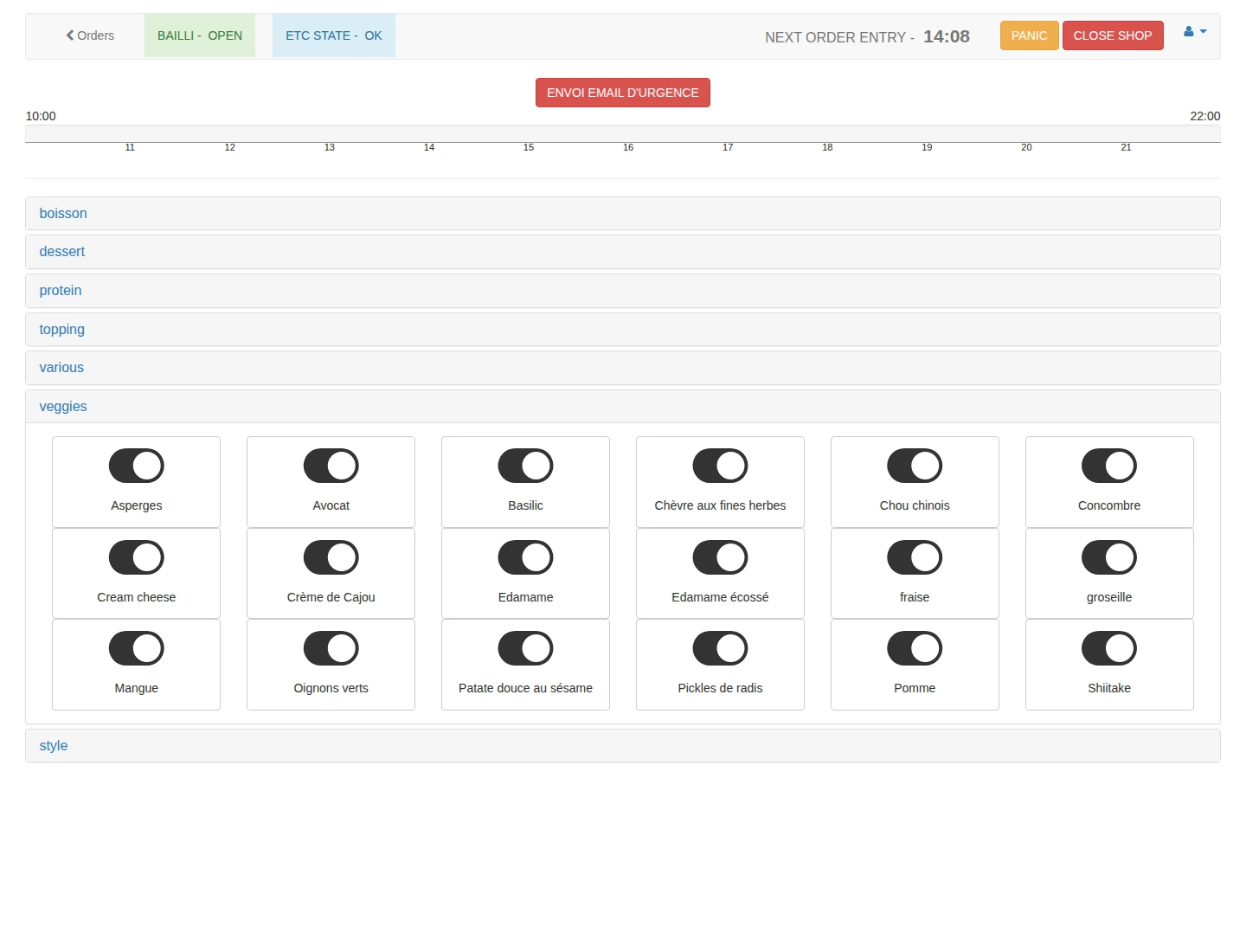
Giving teams control during service
A dashboard to adapt order intake to what is happening in the kitchen.
The team can see the restaurant’s status, preparation workload and available ingredients. It can adjust availability or pause order intake during a peak. Displayed modules are configurable by user. Screenshot of a local demonstration account with kitchen and availability modules, without connections to live tills or sensors.
Like Makisu, connect your ordering journey to on-site constraints and give your teams the tools to manage their work.
Product strategy and development